
Doodle Jump 2: What the Sequel Changed and Where You Can Play It
Published · 3 min read
People search for "Doodle Jump 2" expecting to play it in a browser tab. It is worth being clear at the start: the sequel is an app, not a web game. Here is what it is, how it differs from the first game, and what you can play on a Chromebook instead.
What Doodle Jump 2 is
Doodle Jump 2 is the official sequel from Lima Sky, the studio behind the original. It arrived on the App Store in December 2020, more than eleven years after the first Doodle Jump launched on the iPhone in 2009. At launch it was free with adverts, and an in-app purchase removed them. Lima Sky later put a version on Apple Arcade, the subscription service, without adverts or in-app purchases.
What stayed the same
The core did not change, and reviewers made a point of it: the Doodler still bounces on its own, you still only steer, and the whole aim is still to get higher than last time. If you are good at the original, you are good at the sequel. The controls on a phone work the same way, with tilt steering and a tap to shoot.
What changed
- The look. The art and animation were redrawn from scratch. It is still drawn as if on paper, but smoother and more detailed.
- More worlds. The sequel adds themed environments to climb through, and the Apple Arcade edition lists more again, including a basketball world and a miner world.
- How you pay. The sequel started free with adverts and a purchase to remove them; the Arcade edition comes with the subscription and has neither ads nor purchases.
Can you play Doodle Jump 2 in a browser?
No. There is no official web version of Doodle Jump 2, and any site that says "Doodle Jump 2 unblocked" is showing you something else: usually the first game, sometimes a fan-made copy. We would rather say so plainly.
What you can play here
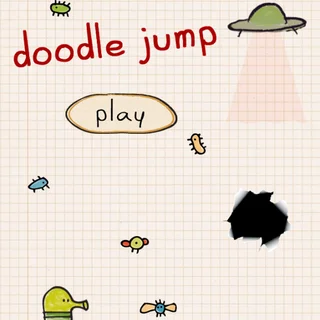
The game on this site is the original Doodle Jump in an HTML5 build made with the Phaser engine, with Lima Sky's art. It has the parts most people remember: green, blue, brown and white platforms, springs, propeller hats, jetpacks, monsters, UFOs and black holes. It runs in a Chrome tab with the arrow keys, and on a phone with on-screen arrows or by tilting.
It also has a few things worth knowing about if you came looking for the sequel:
- Achievements. Nineteen of them, listed in full in our achievements guide.
- Stats. The game counts 27 things, from total play time and jumps to monsters shot and what ended each run: missing a platform, a monster, a UFO or a black hole.
- A local top ten. Your best heights, saved with your name in the browser.
- Directional shooting. Click above the Doodler and its nose turns toward the pointer before firing. You can turn this off in the settings.
Skills that carry over
Because the jumping itself did not change, practice in one version pays off in the other. Three habits matter most. First, steer early: the Doodler keeps drifting after you let go, so release a moment before you are over the platform. Second, use the screen edges, which wrap around in both games; going off one side to land on the other is often the shortest path. Third, deal with threats while they are still far above you. A monster you shoot from the bottom of the screen is one you never have to dodge, and a black hole you spot early is one you can steer well clear of.
Which should you play?
If you have an iPhone or iPad and want the newest version, Doodle Jump 2 is the one, and the Arcade edition has no ads. If you are on a school Chromebook, a laptop or any device where you cannot install apps, the browser version here is the real thing that runs, and the skills carry straight over: steer early, shoot first and keep away from black holes.
More from the blog
- All 19 Doodle Jump Achievements and How to Unlock Them
The full list of Doodle Jump achievements in the browser version, taken from the game's own data, with a plan for unlocking each group.


